Send Crypto
Send Crypto
How to send crypto
How to send crypto
Send any coin in a few taps. Pick the exact coin and network, enter an address or Atom Handle, choose how to pay the fee and confirm.
Send any coin in a few taps. Pick the exact coin and network, enter an address or Atom Handle, choose how to pay the fee and confirm.
Address or Atom Handle
Pay the fee in USDT
Address check
Instant notification
Address or Atom Handle
Pay the fee in USDT
Address check
Instant notification



Watch how it works
Watch how it works
Send Crypto in under a minute
Send Crypto in under a minute
Follow each step on screen, then try it in the app.
Tap Send
Choose the coin and network
Enter the address or handle
Step by step
Step by step

1
Tap Send
Open your wallet and tap Send.
1
Tap Send
Open your wallet and tap Send.

2
Choose the coin and network
Each network is listed separately, for example USDT TRC20, USDT ERC20 and USDT BEP20. Pick the exact one.
2
Choose the coin and network
Each network is listed separately, for example USDT TRC20, USDT ERC20 and USDT BEP20. Pick the exact one.
3
Enter the address or handle
Paste the wallet address, scan a QR code, choose a saved address or type an Atom Handle. Then enter the amount.
3
Enter the address or handle
Paste the wallet address, scan a QR code, choose a saved address or type an Atom Handle. Then enter the amount.

4
Choose the network fee
Pay the fee with the native coin or directly in USDT.
4
Choose the network fee
Pay the fee with the native coin or directly in USDT.

5
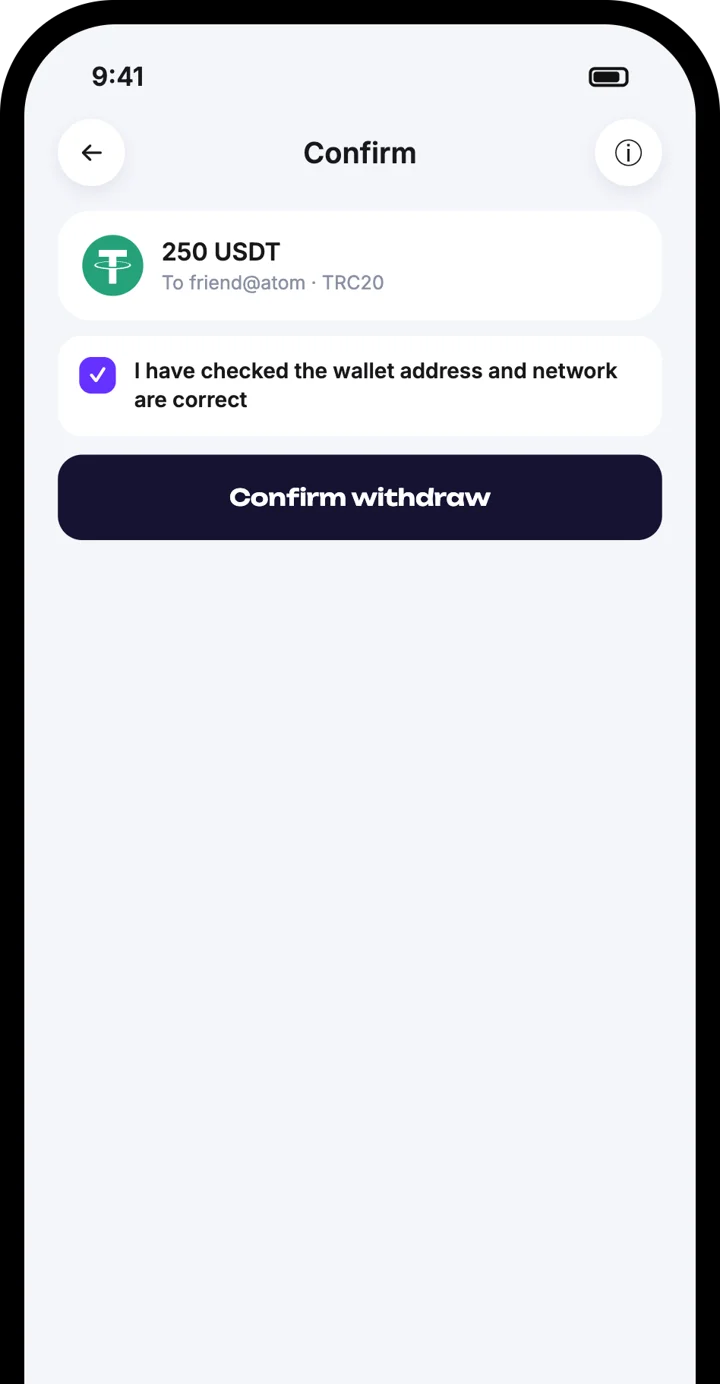
Check and confirm
Tick the box to confirm the address is correct, then tap Confirm withdraw.
5
Check and confirm
Tick the box to confirm the address is correct, then tap Confirm withdraw.

6
Get your notification
You receive a notification that the crypto was sent.
6
Get your notification
You receive a notification that the crypto was sent.
Good to know
Good to know
Always check the address and the network before sending
Always check the address and the network before sending
Blockchain transfers cannot be reversed
Blockchain transfers cannot be reversed
The receiver must use the same network
The receiver must use the same network
Save regular contacts in the address book
Save regular contacts in the address book
Frequently asked questions
Frequently asked questions
Why does the app ask me to confirm the address?
Do I need TRX, ETH or BNB to send?
What if I choose the wrong network?
Download the Atom app
Send USDT without holding TRX, swap in seconds, withdraw to your local bank and get 24/7 human support — with keys that stay on your device.


Download the Atom app
Send USDT without holding TRX, swap in seconds, withdraw to your local bank and get 24/7 human support — with keys that stay on your device.