Personalise the App
Personalise the App
Personalise your wallet
Personalise your wallet
Make the app yours: rename wallets, show balances in your local currency, change the language, set your own background and choose your notifications.
Make the app yours: rename wallets, show balances in your local currency, change the language, set your own background and choose your notifications.
Wallet names
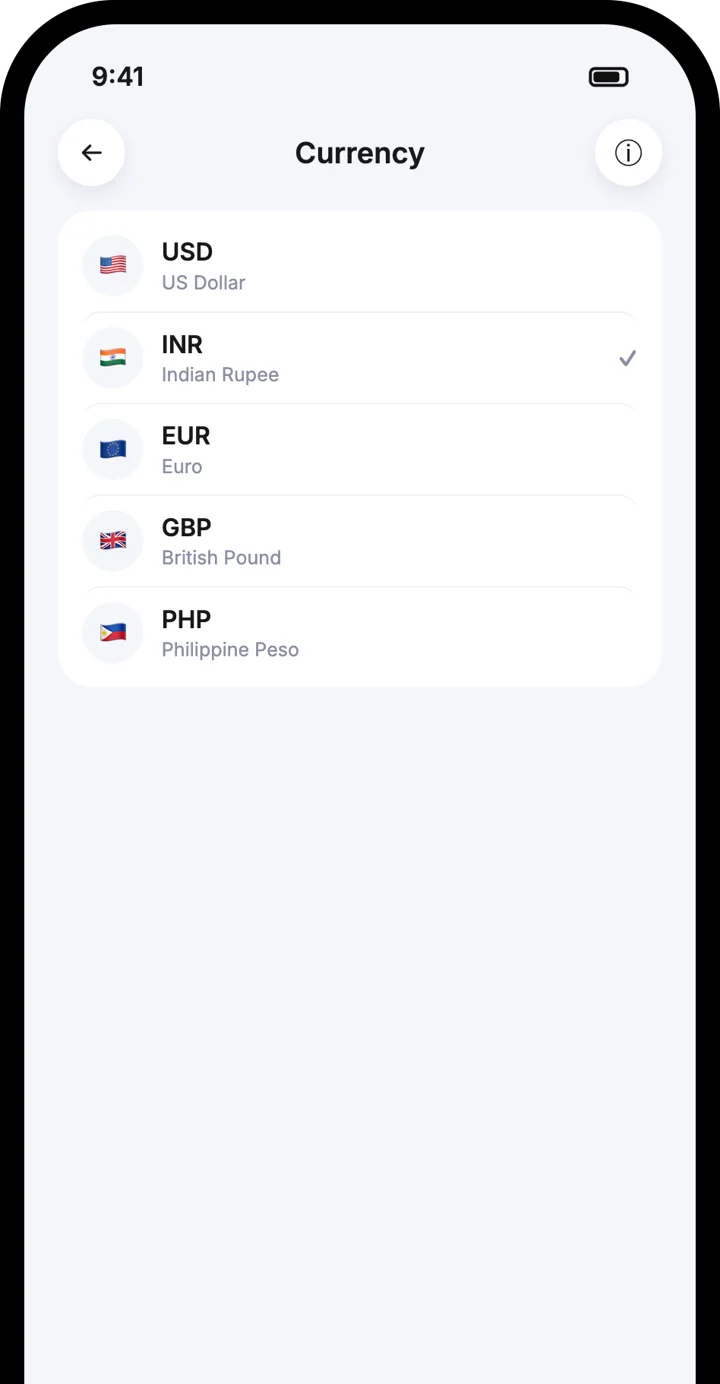
Local currency
Languages
Custom background
Wallet names
Local currency
Languages
Custom background


Watch how it works
Watch how it works
Personalise the App in under a minute
Personalise the App in under a minute
Follow each step on screen, then try it in the app.
Rename your wallet
Change the display currency
Change the language
Step by step
Step by step

1
Rename your wallet
Give each wallet a clear name in Settings.
1
Rename your wallet
Give each wallet a clear name in Settings.

2
Change the display currency
Show your balance in your local currency instead of US dollars.
2
Change the display currency
Show your balance in your local currency instead of US dollars.

3
Change the language
Pick the language you are most comfortable with.
3
Change the language
Pick the language you are most comfortable with.

4
Change the background
Choose a built-in background or upload any photo from your gallery.
4
Change the background
Choose a built-in background or upload any photo from your gallery.

5
Choose your notifications
Turn alerts for received and sent crypto on or off.
5
Choose your notifications
Turn alerts for received and sent crypto on or off.

6
Control crypto requests
Turn off Accept crypto requests if you do not want other people to send you requests.
6
Control crypto requests
Turn off Accept crypto requests if you do not want other people to send you requests.
Good to know
Good to know
Changing the currency only changes how values are shown
Changing the currency only changes how values are shown
Your coins are not converted
Your coins are not converted
Each wallet can have its own name
Each wallet can have its own name
You can switch settings back any time
You can switch settings back any time
Frequently asked questions
Frequently asked questions
Does changing the currency convert my crypto?
Can I use my own photo as the background?
How do I stop receiving crypto requests?
Download the Atom app
Send USDT without holding TRX, swap in seconds, withdraw to your local bank and get 24/7 human support — with keys that stay on your device.




Download the Atom app
Send USDT without holding TRX, swap in seconds, withdraw to your local bank and get 24/7 human support — with keys that stay on your device.