USDT Wallet App

USDT Wallet App

Secure Your USDT with Atom Wallet

Secure Your USDT with Atom Wallet

Store, send, and receive USDT safely using Atom Wallet. Whether you’re managing daily transactions or holding stablecoins for the long term, Atom Wallet gives you complete control with a secure and easy-to-use experience.

Store, send, and receive USDT safely using Atom Wallet. Whether you’re managing daily transactions or holding stablecoins for the long term, Atom Wallet gives you complete control with a secure and easy-to-use experience.

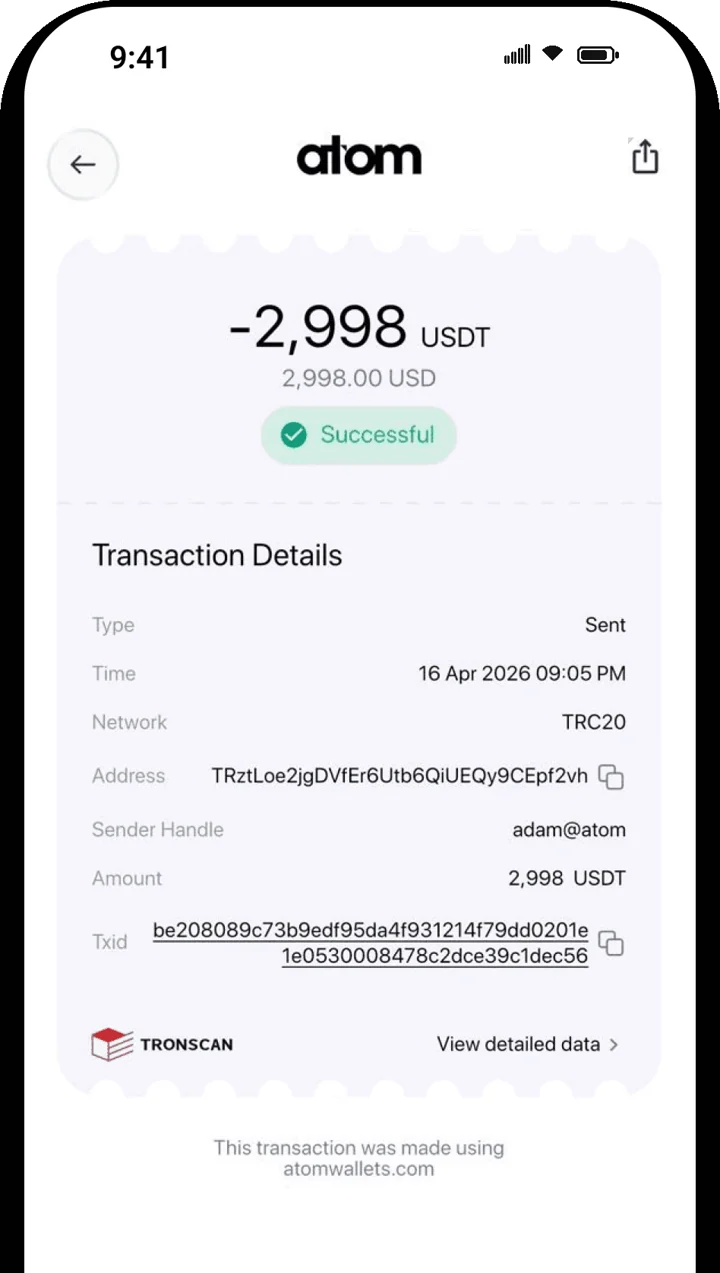
Atom Wallets app screen

Why Use a USDT Wallet?

Why Use a USDT Wallet?

USDT is one of the world’s most popular stablecoins, trusted by millions for fast, reliable, and low-volatility transactions. A secure wallet helps you protect your funds while allowing instant transfers anytime.

Atom Wallet makes managing USDT simple, secure, and convenient.

Why Use a USDT Wallet?

Benefits of Atom Wallet

Benefits of Atom Wallet

Full Ownership

Full Ownership

Only you control your wallet.

Full Ownership

Full Ownership

Only you control your wallet.

Stablecoin Management

Stablecoin Management

Manage your USDT with ease.

Stablecoin Management

Stablecoin Management

Manage your USDT with ease.

High Security

High Security

Advanced protection for your assets.

High Security

High Security

Advanced protection for your assets.

Quick Transactions

Quick Transactions

Send USDT globally within minutes.

Quick Transactions

Quick Transactions

Send USDT globally within minutes.

Flat $2 USDT Transfer Fee

Flat $2 USDT Transfer Fee

A simple flat $2 fee per USDT transfer. No need to hold TRX, ETH, or BNB, pay the network fee directly in USDT.

Flat $2 USDT Transfer Fee

Flat $2 USDT Transfer Fee

A simple flat $2 fee per USDT transfer. No need to hold TRX, ETH, or BNB, pay the network fee directly in USDT.

Features

Features

Flat $2 USDT Transfer Fee

Flat $2 USDT Transfer Fee

Pay Network Fee in USDT (No TRX / ETH / BNB Needed)

Pay Network Fee in USDT (No TRX / ETH / BNB Needed)

Secure USDT Storage

Secure USDT Storage

Fast Transfers

Fast Transfers

Multiple Network Support

Multiple Network Support

QR Payments

QR Payments

Transaction History

Transaction History

Non-Custodial Security

Non-Custodial Security

Easy Backup

Easy Backup

Beginner Friendly

Beginner Friendly

Private Key Ownership

Private Key Ownership

How to Use

How to Use

Download

1

Download

Download Atom Wallet.

Download

1

Download

Download Atom Wallet.

Create Wallet

2

Create Wallet

Create your wallet.

Create Wallet

2

Create Wallet

Create your wallet.

Secure Backup

3

Secure Backup

Secure your recovery phrase.

Secure Backup

3

Secure Backup

Secure your recovery phrase.

Receive USDT

4

Receive USDT

Receive USDT.

Receive USDT

4

Receive USDT

Receive USDT.

Send USDT

5

Send USDT

Send USDT anytime.

Send USDT

5

Send USDT

Send USDT anytime.

Security

Security

Your USDT stays protected through secure encryption and private key ownership. No third party can control your wallet.

Store Your USDT Securely with Atom Wallet Today

Store Your USDT Securely with Atom Wallet Today

Take full control of your Tether balance with a secure, non-custodial USDT wallet built for daily use.

Non-custodial

Non-custodial

Fast transactions

Fast transactions

Your keys, your crypto

Your keys, your crypto

Frequently Asked Questions

Frequently Asked Questions

What is a USDT Wallet?

Is Atom Wallet a secure USDT wallet?

Can I send and receive USDT instantly?

Which blockchain networks does Atom Wallet support for USDT?

Do I own my USDT in Atom Wallet?

Can I use Atom Wallet on my mobile phone?

Download the Atom app

Send USDT without holding TRX, swap in seconds, withdraw to your local bank and get 24/7 human support — with keys that stay on your device.

Atom Wallets app screen

Download the Atom app

Send USDT without holding TRX, swap in seconds, withdraw to your local bank and get 24/7 human support — with keys that stay on your device.

Atom Wallets app screen